back to overview
  More blogs
 Ask your browser what operating system it runs on and you will not get one answer. You will get five. The User-Agent string names an OS. So does navigator.platform. So does the Client Hints API, the Sec-CH-UA-Platform header your browser attaches to every request, and (in Firefox) the old navigator.oscpu property.
On a normal machine nobody notices, because all five say the same thing. The moment you change one of them and forget the others, you stop looking like a Mac or a Windows PC and start looking like something far more interesting: a browser that is lying.
The widget on this page runs that exact cross-check on your browser right now.
The five places your browser names an OS
- The User-Agent string. The classic.
Mozilla/5.0 (Windows NT 10.0; Win64; x64)...and every spoofing extension on earth edits it. navigator.platform. A much older JavaScript property that most spoofing tools forget about entirely.navigator.userAgentData.platform. The modern Client Hints API in Chromium browsers. Readable by any script, no permission needed.- The
Sec-CH-UA-Platformheader. The same Client Hints data, but sent over the network with every request. A website’s server reads this before a single line of your JavaScript has run. navigator.oscpu. Firefox only. Which is itself information: a “Chrome on Windows” browser that exposesoscpuhas already given the game away.
These do not come from one shared setting. Editing the User-Agent does not update the headers, and overriding a JavaScript property does not reach the network layer. That independence is exactly what makes the cross-check work:

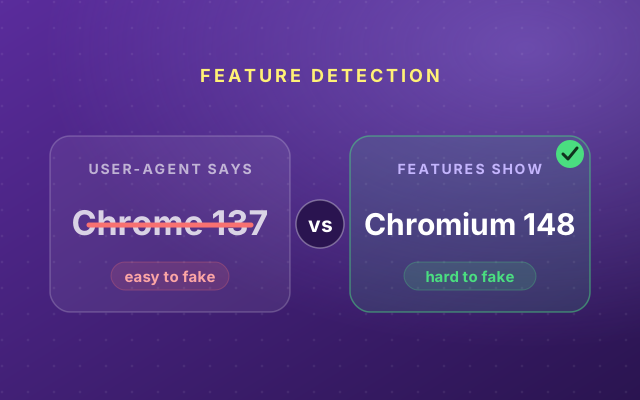
This is the same trap that catches version spoofing, which we covered in Your User-Agent Lies. Your Chromium Version Doesn’t. The pattern generalizes: every signal you fake is one more chance to contradict the signals you did not.
Real browsers lie too, just in standard ways
Here is the part that surprises people: an honest browser does not report your OS accurately either.
- On 64-bit Windows,
navigator.platformsaysWin32. It has said that since the nineties, and changing it would break old websites. - On an Apple Silicon Mac, it says
MacIntel. There is no Intel inside, but the label survived the chip transition. - The User-Agent of every modern Mac caps the reported macOS version, so different macOS releases can present the same string.
Trackers know these standard lies by heart, and that cuts both ways. A spoof that reports Win64 because it sounds more correct is instantly suspicious, because no real browser has ever said that. To pass, a fake has to lie in precisely the same way the real thing lies. Most spoofing tools don’t know the folklore.
Even perfect labels leak
Suppose you do it properly: User-Agent, navigator.platform, Client Hints and the headers all rewritten to agree on macOS. Consistent everywhere. Done?
Not quite. The labels are only the part of the OS you can rename. The rest of the operating system keeps acting like itself:
Fonts are the loudest one. Windows ships Segoe UI and Calibri, macOS ships Helvetica Neue and San Francisco, Linux distributions ship DejaVu. A script can probe for these in milliseconds (our font fingerprinting article runs that exact probe live on your browser). The WebGL renderer string is just as blunt: Direct3D means Windows, Metal means a Mac, no exceptions.
So OS spoofing is not one switch. It is a label problem and a behavior problem, and the behavior problem is much harder.
What to actually do
- If you are not deliberately managing identities, do not spoof your OS. You will join a tiny, weird crowd of self-contradicting browsers instead of the enormous crowd of normal ones. Blending in beats hiding.
- Never half-spoof. A User-Agent switcher that only edits the string makes you easier to recognize, not harder. If you cannot change every surface, change none of them.
- If you do need separate identities, make the whole stack agree. Labels, headers, fonts, WebGL, the lot. That is exactly the job anti-detect browsers exist for. Incogniton builds each profile so the operating system story is told consistently from the network layer down to the font list, instead of bolting a new label onto an unchanged machine.
Want to see how your own browser holds up? The widget on this page checks your OS signals, and the full scanner runs the version check, WebRTC leak test and a dozen others alongside it.