back to overview
  More blogs
 If you automate a browser, for scraping, QA testing or managing accounts, one question decides whether you get through or get a CAPTCHA: does your browser look human? The widget on this page puts that question to your current browser, check by check.
A few years ago a single line of JavaScript settled it. Selenium, Puppeteer and Playwright all set navigator.webdriver to true, and websites simply read it back. Today that check catches almost nothing, because every serious automation setup patches the flag before the page loads. Detection moved on. This article walks through where it went.
The classic tells, and why they stopped working
These are the checks every tutorial from 2019 still teaches, and every modern stealth plugin defeats:
navigator.webdriver. Flipped totrueby Selenium, Puppeteer and Playwright, and patched back tofalseby every stealth tool in one line.- A “HeadlessChrome” User-Agent. Old headless Chrome announced itself in the User-Agent string. Nobody who is trying leaves that in.
- Empty plugin and language lists. Headless defaults that one line of setup fixes. A real desktop Chrome ships PDF plugins and always reports at least one language.
- A missing
window.chromeobject. Some automated builds strip it, which looks strange on a browser claiming to be Chrome.
None of these stop a competent bot anymore. They stay in the test because they instantly expose the careless ones, and because a real browser passes them without trying.
Where detection actually happens now
The checks that still work are not cosmetic flags. They are consequences of how the browser is being driven, and that makes them much harder to patch away.
The DevTools channel. Puppeteer and Playwright control Chrome through the Chrome DevTools Protocol, and to do their job they enable its Runtime domain, which quietly serializes every object handed to the console. That serialization reads properties nothing else reads. Log an Error object with a trap on its stack property and the automation channel gives itself away, no matter how carefully the surface flags were patched. This is the hardest signal to hide. It also fires if you simply have DevTools open right now, which is why the widget points that out.
Software rendering. A headless browser on a server has no GPU, so it falls back to a software renderer: SwiftShader on Chrome, llvmpipe on Linux. The WebGL renderer string says so in plain text. A real laptop reports an Intel, Apple, AMD or NVIDIA GPU, and “Google SwiftShader” means a server pretending to be one. This is the same renderer string our canvas fingerprinting article reads for other reasons.
Patched native functions. Here is the paradox at the heart of stealth tooling: to hide navigator.webdriver, a plugin has to override it, and an overridden built-in stops reporting [native code] when a script inspects its source. Every function a stealth plugin touches becomes evidence of that plugin. The more thorough the patching, the more there is to find. Privacy extensions that spoof canvas or WebGL readouts trip the same check, which is worth knowing even if you never automate anything. The same observe-the-effects logic is how sites detect ad blockers: the page never sees the extension, only what it removes.
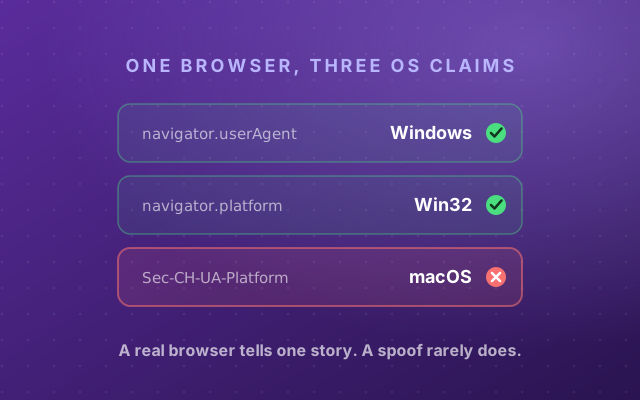
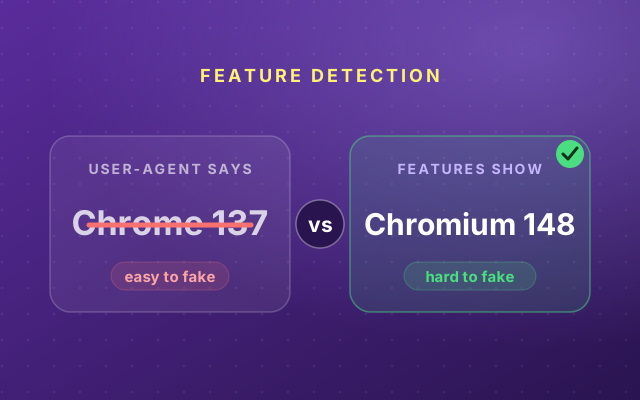
Engine consistency. Small internal constants, like the exact source length of eval, are fixed per JavaScript engine. Claim to be Chrome while your engine constants say otherwise and the User-Agent is exposed as a costume. It is the same contradiction trap we described for the operating system in One Browser, Five OS Claims and for the browser version in Your User-Agent Lies.
Behavior, the layer stealth tools can’t reach
Everything above describes the browser at rest. The signal no plugin patches is what happens once the page is open. Anti-bot systems watch the physics of interaction: a click with no mouse movement leading up to it, a cursor that travels in a perfectly straight line, scrolling with no easing, keystrokes spaced with machine regularity. Humans are noisy in consistent ways. Scripts are clean in ways humans never are. A static fingerprint can be forged once; behavior has to be performed convincingly for the whole session.
The test on this page is static only, because behavioral scoring needs a model and a server. But behavior is where commercial detection is heading, and it is why patching every flag is still not enough. The collection half needs no server, though: the live behavior monitor on our homepage tracks your cursor physics, click provenance and focus pattern in real time, and shows what a detector would make of them.
How Cloudflare and DataDome score you
Commercial anti-bot systems such as Cloudflare, DataDome, Kasada and HUMAN do not rely on any single check. They combine the JavaScript signals above with network fingerprints (the TLS handshake and HTTP/2 behavior, which JavaScript cannot see or change), IP reputation and behavioral scoring, and fuse all of it into one score in milliseconds. DataDome even trains a separate model for each site it protects. You are not trying to pass one test. You are trying to look consistent across all of them at once. The same scoring hits people who never automate anything: if that is you, we wrote a separate guide to why you keep getting CAPTCHAs and how to find the signal that causes it.
That is also the honest limit of any in-browser test, including this one. It sees the client side. The network half is measured at the server, before a single line of your JavaScript runs.
AI agents are changing the question
The newest bots are AI browser agents. Tools like Claude’s computer use, OpenAI’s Operator and Browser Use drive real browsers to complete tasks for people, and they sail past the classic checks because they often are ordinary Chrome underneath. The durable tells still apply, though. They are driven over the DevTools Protocol, they frequently run headless on servers with software GPUs, and their interaction timing is machine-clean. Detection vendors are quietly moving from “is this a bot?” to “is this a human, a good bot, or an autonomous agent?”, and they answer it with exactly the signals in the widget on this page.
What to actually do
- Never half-patch. A browser that has visibly been tampered with is a rarer, louder signal than an honest one. Stealth plugins that fix flags one by one manufacture the exact evidence anti-bot systems hunt for. If you cannot make the whole stack consistent, adding patches makes things worse.
- Test your setup before you rely on it. Point whatever you run at this page and at the full browser scan before it costs you an account or a day of scraping. A tell you find yourself is a tell you can fix.
- If you manage multiple identities, use a browser that is consistent by construction. A real rendering engine, real GPU output, native functions left untouched, and a fingerprint that agrees with itself from the WebGL string to the font list. That is the job anti-detect browsers exist for. Incogniton builds each profile as a real, self-consistent browser, so the signals line up instead of contradicting each other.
Automation and anti-detect browsers are legal tools with plenty of legitimate uses, from QA testing and ad verification to managing business accounts. Whether a given site allows them is set by that site’s rules, so know them before you act at scale.
Want to see how your own browser holds up? The widget on this page checks the client-side automation signals, and the full browser scan runs the WebRTC leak test, fingerprint hashes, and the platform and version cross-checks alongside it.